Your machine
Start a local session, split panes, create tabs, and keep agents running while your terminal comes and goes.
$ herdrAgent multiplexer · lives in your terminal
Herdr is to coding agents what tmux is to terminals: a multiplexer that runs where your agents run — your machine, your server, anywhere you can ssh. See blocked, working, and done at a glance, click anything, close the laptop. Nothing dies.
curl -fsSL https://herdr.dev/install.sh | sh
irm https://herdr.dev/install.ps1 | iex
Stable Linux/macOS · Windows preview beta · no Electron
# used in the wild
 JetBrains
 Docker
 Vercel
 Kimi
Kimi Sentry
 Google
 NVIDIA
 AWS
AWS ByteDance
 Tencent
 Alibaba
 Salesforce
 IBM
IBM Atlassian
 Whop
Whop Automattic
# not an app
Desktop agent managers are stuck on the machine with the GUI. Herdr is a client–server multiplexer: agents live on whichever box does the work, and you attach from anywhere — your laptop, any SSH client, even a phone.
Start a local session, split panes, create tabs, and keep agents running while your terminal comes and goes.
$ herdrUse Herdr like tmux on a remote box. The session stays on the server after you detach.
$ ssh you@server
$ herdrPoint your local Herdr client at an SSH config host and stream the remote TUI back to your terminal.
$ herdr --remote workbox# responsive tui
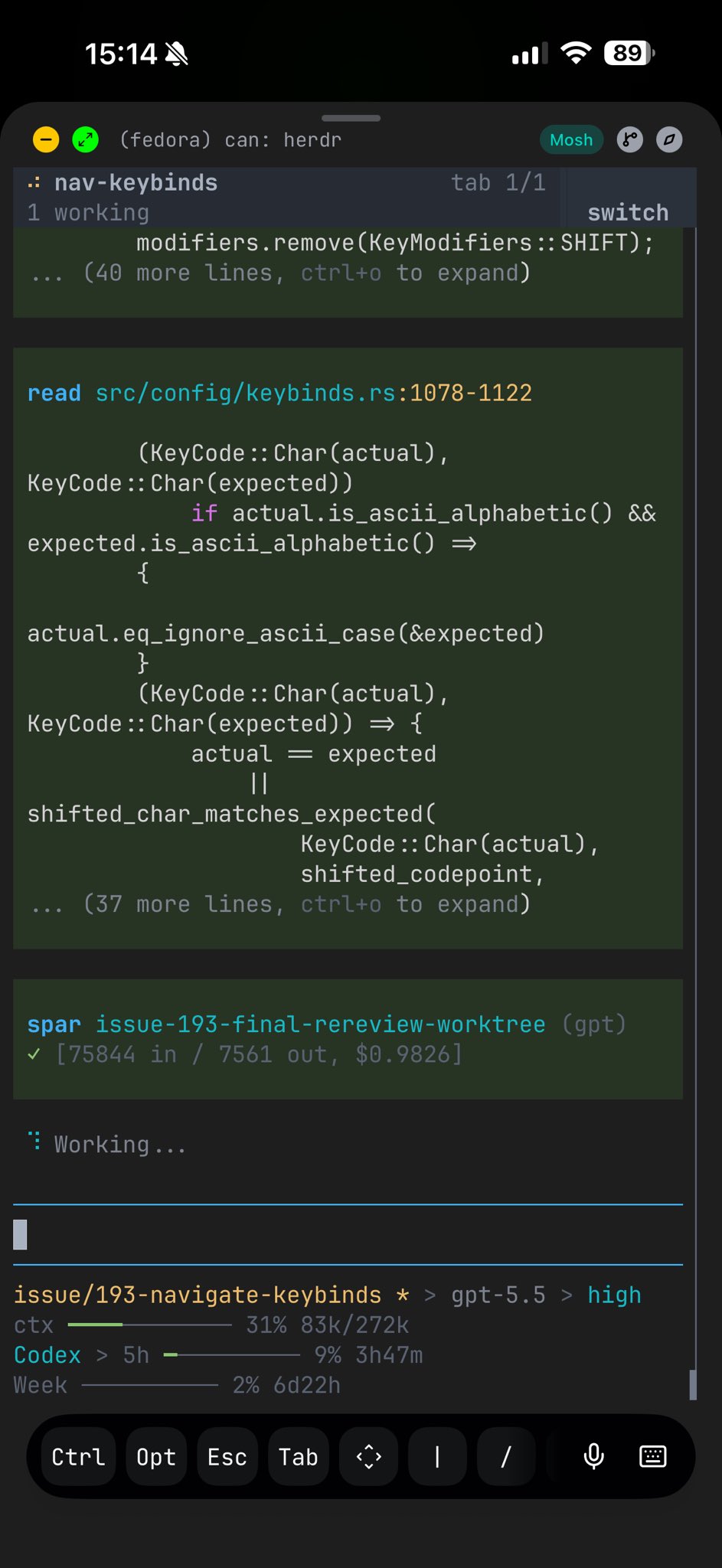
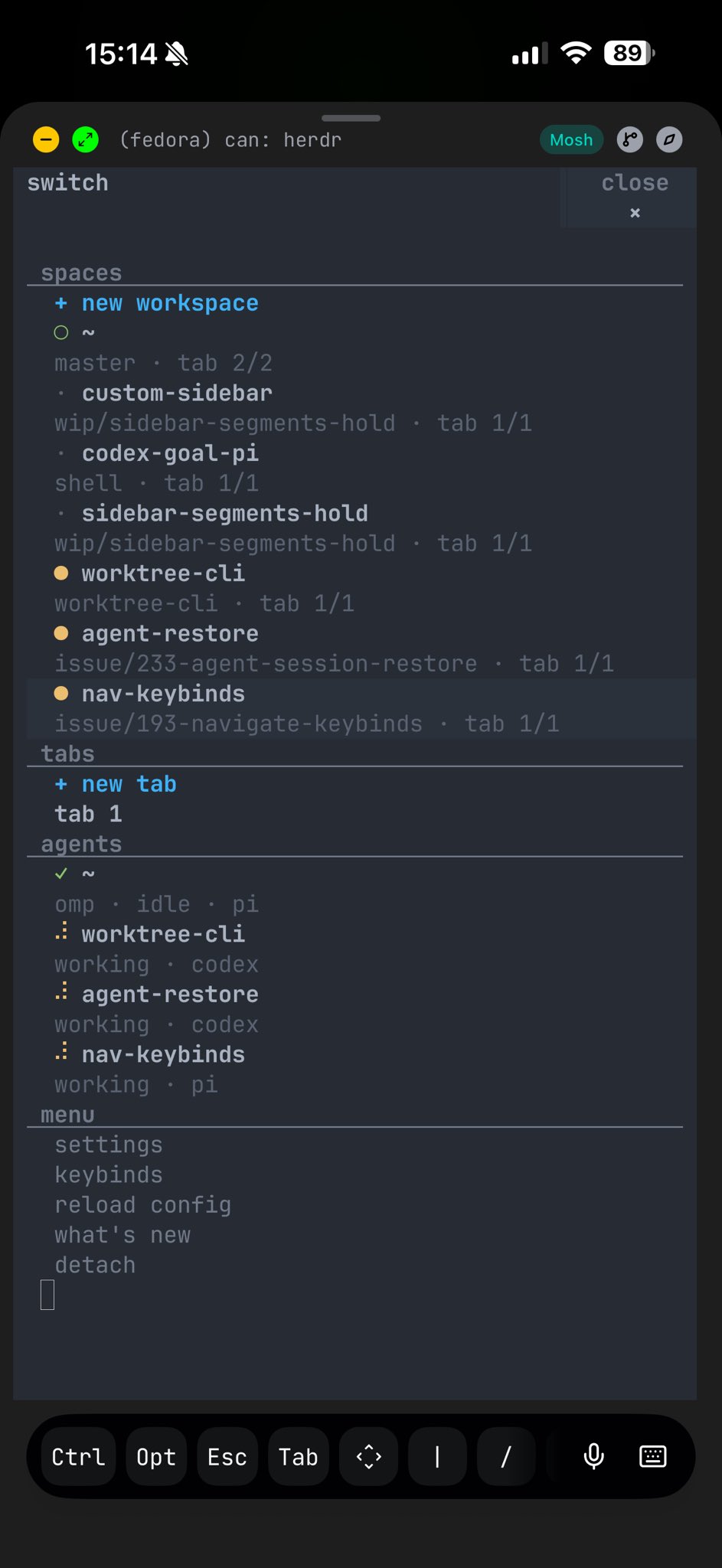
Herdr stays usable over SSH from a phone or tablet. The terminal view remains real, while narrow screens get a switcher built for touch-sized decisions.
# the missing layer
Desktop agent terminals give you app UI. tmux gives you persistence. Herdr sits between them: a lightweight TUI process with real terminal panes, clickable layout, agent state, detach/reattach, remote attach, and an API your agents can drive.
Ghostty, Kitty, iTerm, Alacritty — your terminal stays.
No web view, no account, no hosted control plane.
Persistence plus clickable panes, agent state, an API.
# positioning
tmux and Zellij own persistent terminal sessions but don't understand agents. Desktop agent apps understand agents but live on one machine. Herdr keeps the multiplexer in your terminal and makes it agent-aware. See the full comparison →
| Capability | tmux / Zellij | agent apps | worktree orchestrators | Herdr |
|---|---|---|---|---|
| Runs inside your terminal | ✓ | — | — | ✓ |
| Persistent PTY sessions | ✓ | limited | embedded | ✓ |
| Remote SSH attach | ✓ | limited | remote projects | ✓ |
| Semantic agent state | — | partial | workspace status | ✓ |
| Direct agent attach | — | — | — | ✓ |
| Agents can orchestrate it | scriptable | partial | workflow-owned | ✓ |
# your terminal
No rebuilt chat view. Real processes in real PTYs, with layout, clicks, state, and persistence added around them.
# agents can drive it
A CLI and JSON socket API expose workspaces, panes, output, and waits. Your agents can run their own workspace.
# create workspace structure
herdr workspace create --cwd ~/project --label api
herdr tab create --label logs

# split a pane and run work
herdr pane split 1-1 --direction right
herdr pane run 1-2 "just test"

# wait, inspect, and continue
herdr wait agent-status 1-1 --status done
herdr pane read 1-2 --source recent-unwrapped
# agent awareness
Each workspace rolls up to its most urgent agent state, so the whole session is scannable.
See which agents are blocked, working, done, idle, or unknown without opening every pane.
# integrations
Any terminal agent works out of the box. Integrations add richer state and session resume.
# start the herd
The value shows up the first time the herd keeps running after your terminal disappears.