
RECIPE.md
Read this layout's recipe on GitHub →
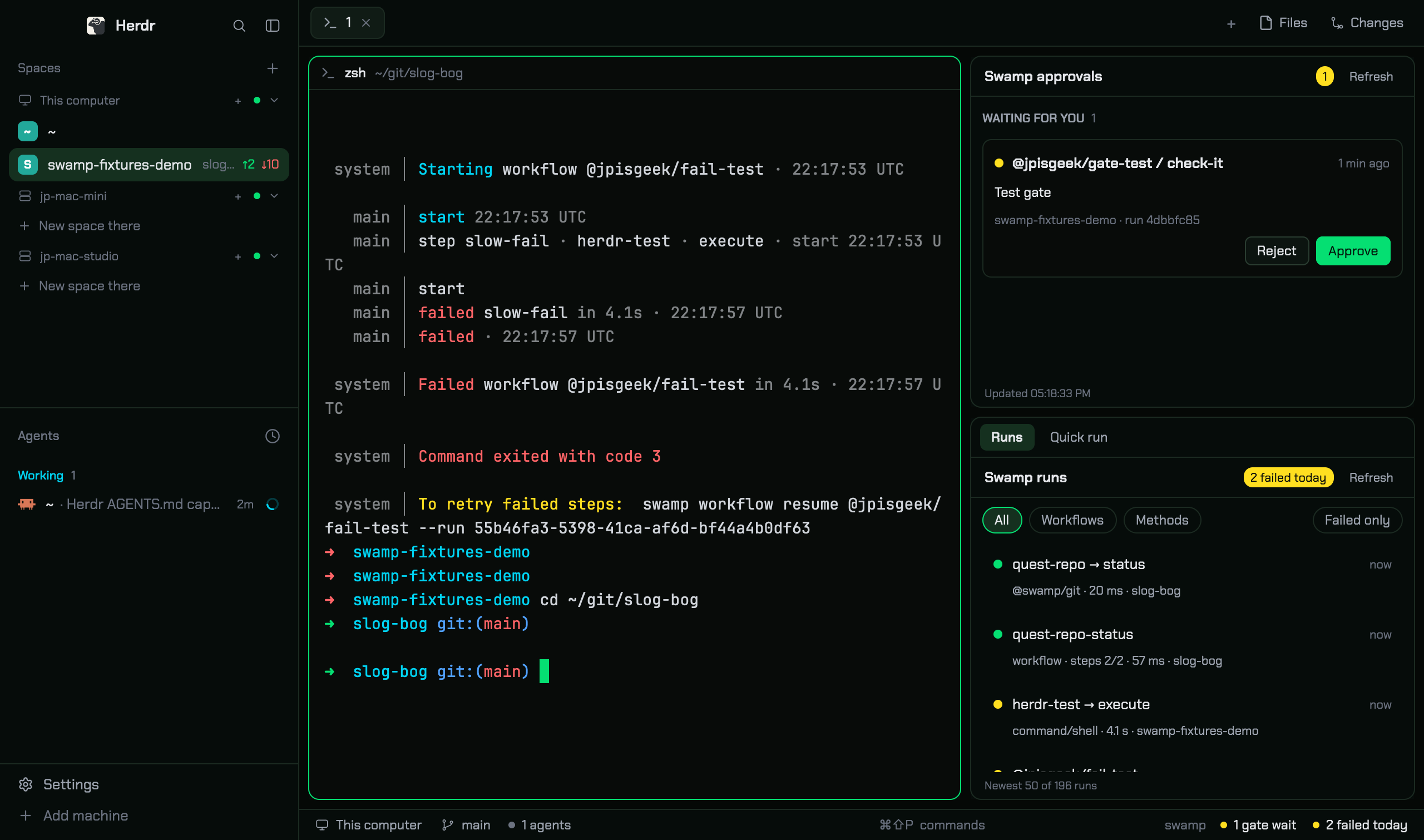
Herdr's main layout with a swamp control column on the right. Gates that wait for a manual approval are always visible at the top. Below them, two tabs show recent workflow and method runs, and a menu that starts a workflow with its inputs filled in. A small item at the right end of the status bar shows the gate and failure counts. Everything that changes a run (approve, reject, resume, cancel, start) needs a second click on a Confirm button. Resume and start run in a visible terminal tab, not…
Read ~/.config/herdr-app/AGENTS.md, then add this layout: herdr.dev/layouts/jpisgeek/herdr-swamp-layout Read this layout's recipe on GitHub →