

##See who needs you
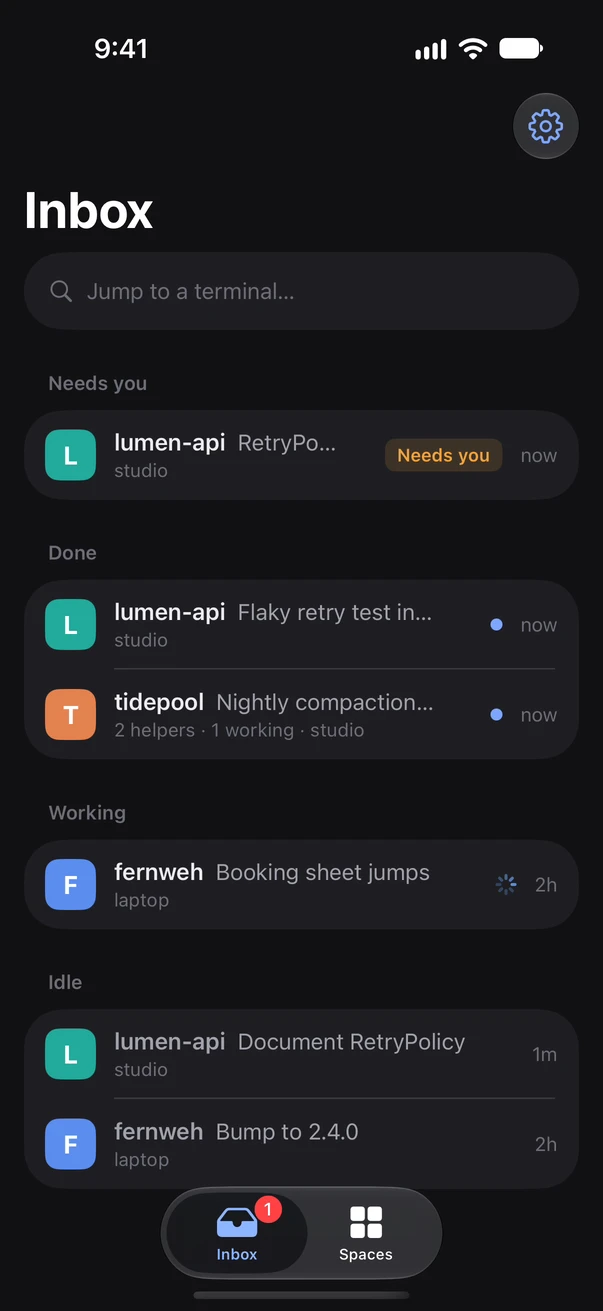
The Inbox lists every agent on every machine, sorted by what it needs from you: needs you, done, working, idle. A blue dot means you haven't read it yet.
Swipe right to pin an agent or mark it read, left to send it Esc. While the app is open, a banner tells you when an agent needs you or is done.
##Answer it
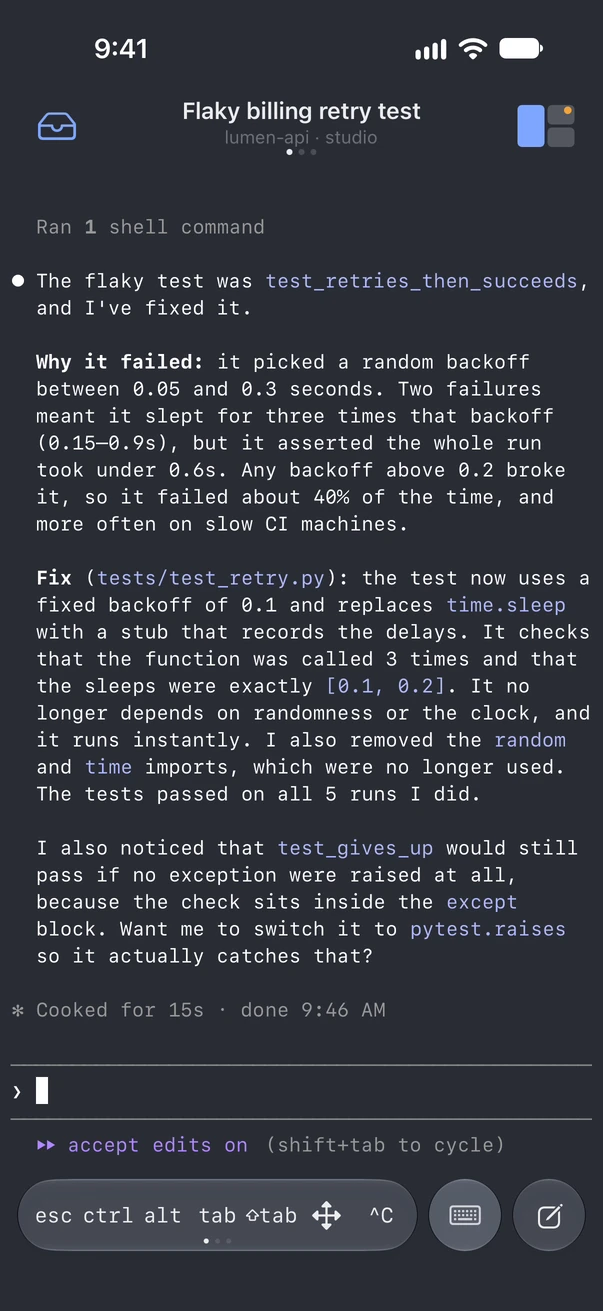
Open an agent and you're in its real terminal. Type straight in, like on your laptop. The key bar has Esc, Ctrl, Tab and the arrows, and you can change what's on it.
For more than a few words, open compose: write, paste text or a screenshot, attach photos, or dictate. It goes to the agent as one paste, then Enter.
Dictation runs on your phone with a speech model you download once, or with Apple's or Google's speech engine if you prefer.
##Find any agent
Pull down or tap search to jump to any terminal on any machine. Helpers sit under the agent that started them.
In a terminal, swipe the header to go to the next pane of its tab, or tap the tab's map to see all of its panes, live.
##Your spaces
The spaces you made in the Herdr app show up on your phone, each tab drawn as a small map of its panes. Open one to watch its panes or to start a new terminal there. Watching from the phone never resizes anything on your computer.
##Big screens
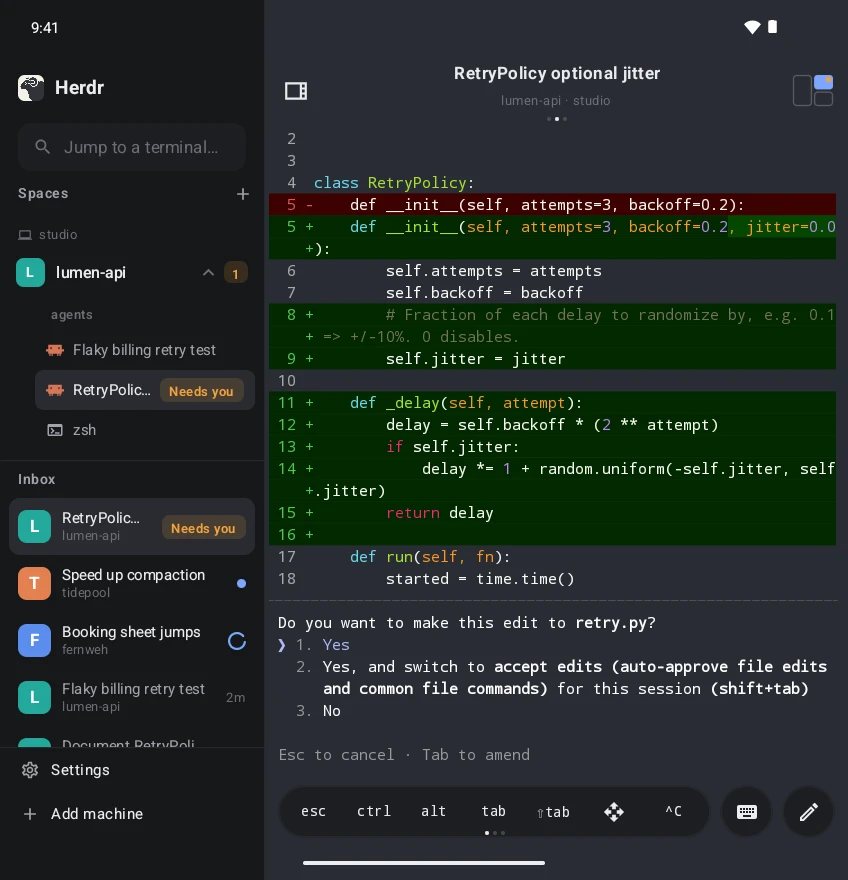
Unfold a foldable or open Herdr on an iPad, and you get the sidebar and the terminal side by side, like the app on your computer.
##How it connects
Your phone talks to herdr-core on each machine over SSH. There's no Herdr account and no server of ours in between.
Connect one machine, and Herdr offers the others it knows about: the machines Herdr there already uses, the hosts in your SSH config and your Tailscale devices. Away from home, Tailscale or any VPN gets you there, and Tailscale SSH works without setting up a key.
No sign-in, no ads, no tracking, no analytics. Privacy →
##Questions
What do I need on my computer?
herdr-core, the runtime under Herdr. It comes with the Herdr app, or you can install it on its own. Terminals and agents show up either way; spaces show up when the Herdr app runs there too.
Does it work with Herdr TUI?
No. The phone app talks to herdr-core, the runtime the Herdr app is built on. Herdr TUI runs its own server, so agents started there don't show up on your phone. Both can run on the same machine.
Can I try it before connecting anything?
Yes. Tap Try the demo when the app opens: a pretend herd of agents to look around in.
Which agents does it show?
The same ones as the Herdr app: every terminal on your machines is there, and agents that report their status through OSC 7501 land in the Inbox, sorted by whether they're working, done or need you.
Is it free?
Yes.