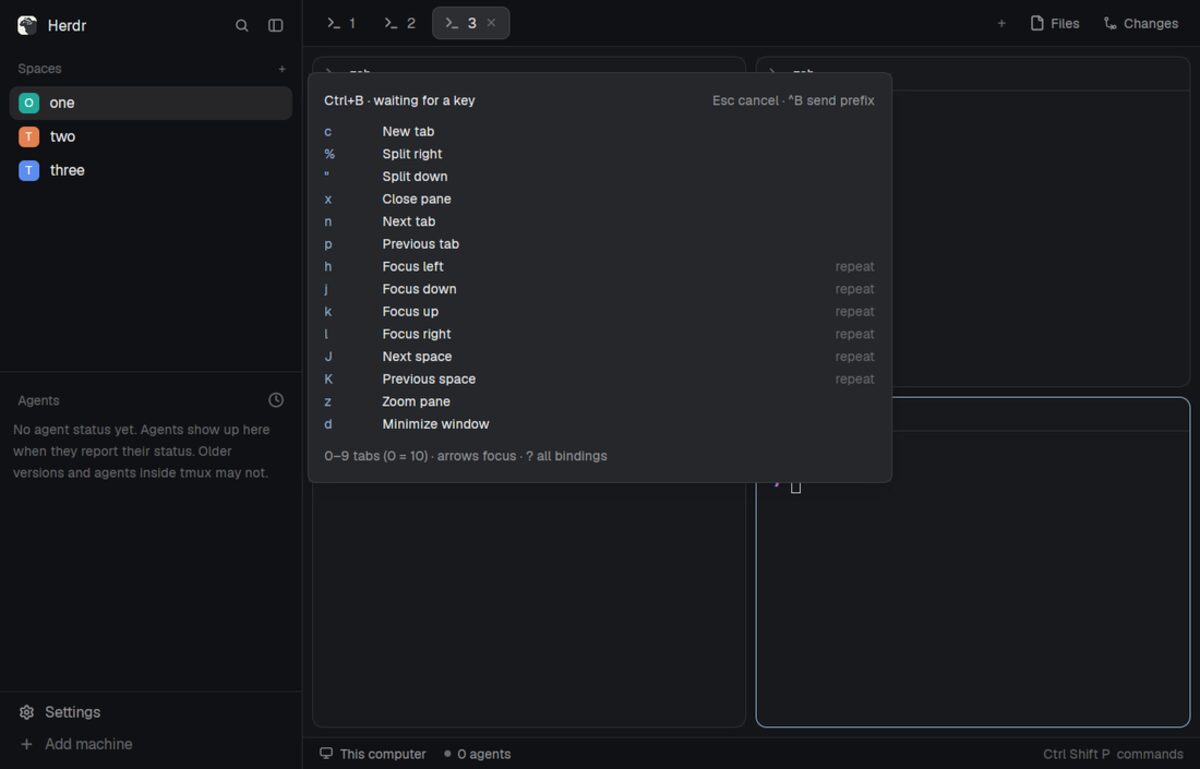
Ask your agent to write it up. Paste the prompt. It writes a RECIPE.md: the brief another agent could build your mod from. See Tmux prefix's.
Push it to a public GitHub repo with the topic herdr-mod. Each mod is a folder with mods/<name>/, the RECIPE.md, a preview.png and, if needed, a keys.json snippet. No layouts/ folder. One repo can hold several.
It shows up here within the hour, under Community.
Mods aren't reviewed by Herdr: your agent reads every file before it adds one. Community pictures are screened before they appear, with at least a 24-hour wait.
prompt
Read ~/.config/herdr-app/AGENTS.md, then write a RECIPE.md for my <name> mod the way it describes: a brief another agent could build it from with an empty folder. Put the mods/<name>/ folder, any keys.json snippet, the recipe and a screenshot named preview.png in one folder, without a layouts/ folder, push it to a public GitHub repo and add the topic herdr-mod.