
RECIPE.md
Read this mod's recipe on GitHub →
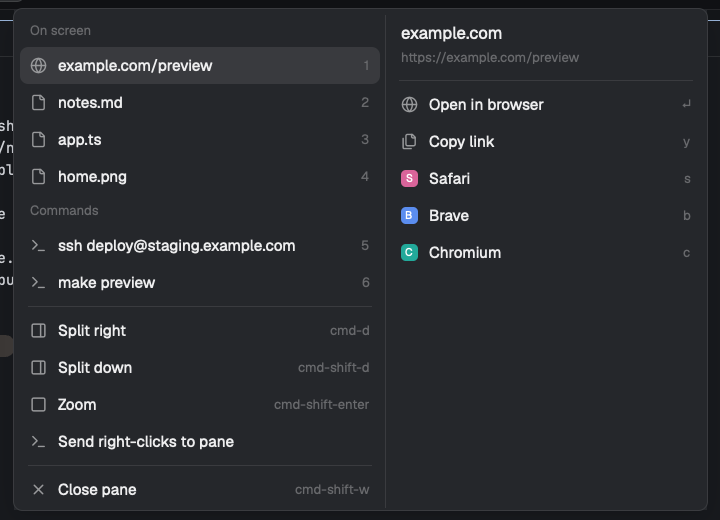
Open paths, links and commands straight from what the terminal printed, keyboard only. Cmd+Shift+O lists every file path, folder, URL and command on the screen, numbered. A number picks one, a letter acts: Enter opens the path in its app, the link in your browser, or runs the command in a new terminal beside the pane. o reveals it in Finder, y copies it, z c v open it in Zed, Cursor or Neovim. Right-click the terminal and the same list sits at the top of Herdr's menu.
Read ~/.config/herdr-app/AGENTS.md, then add this mod: herdr.dev/mods/kerembakir/herdr-mods--on-screen Read this mod's recipe on GitHub →