
RECIPE.md
Read this mod's recipe on GitHub →
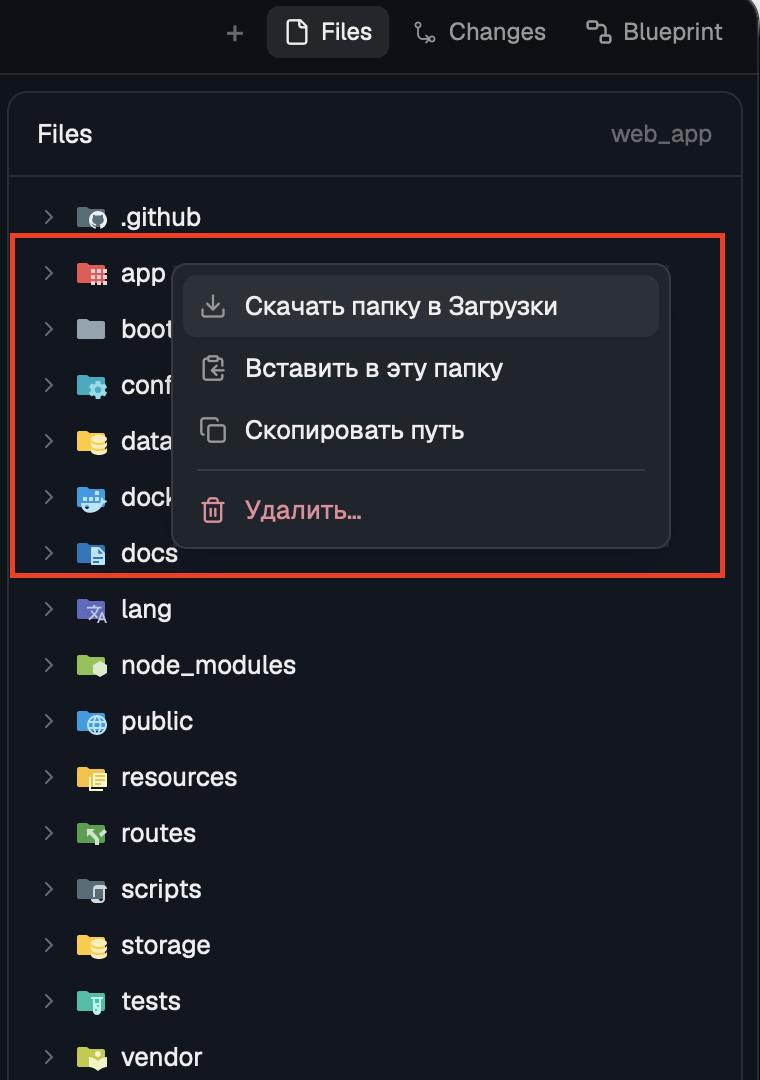
Herdr's Files panel with file transfer and VS Code's file icons. Right-click a file or folder for a small menu: download it to ~/Downloads, paste files copied in Finder into it (upload), copy its path, reveal it in Finder, create a file or folder, rename it, move it to the Trash (this Mac) or delete it after a confirmation (remote). Markdown opens formatted and images open fitted; paired with Preview Plus, Markdown, images and PDFs open there. It works on this computer and on remote machines…
Read ~/.config/herdr-app/AGENTS.md, then add this mod: herdr.dev/mods/vladimiryakimenko/herdr-files-transfer Read this mod's recipe on GitHub →